IdeaJones

Tag: victorian

  • Working Dark

    Working Dark

    Working with old photos is an art in itself.
    Working with old photos is an art in itself.

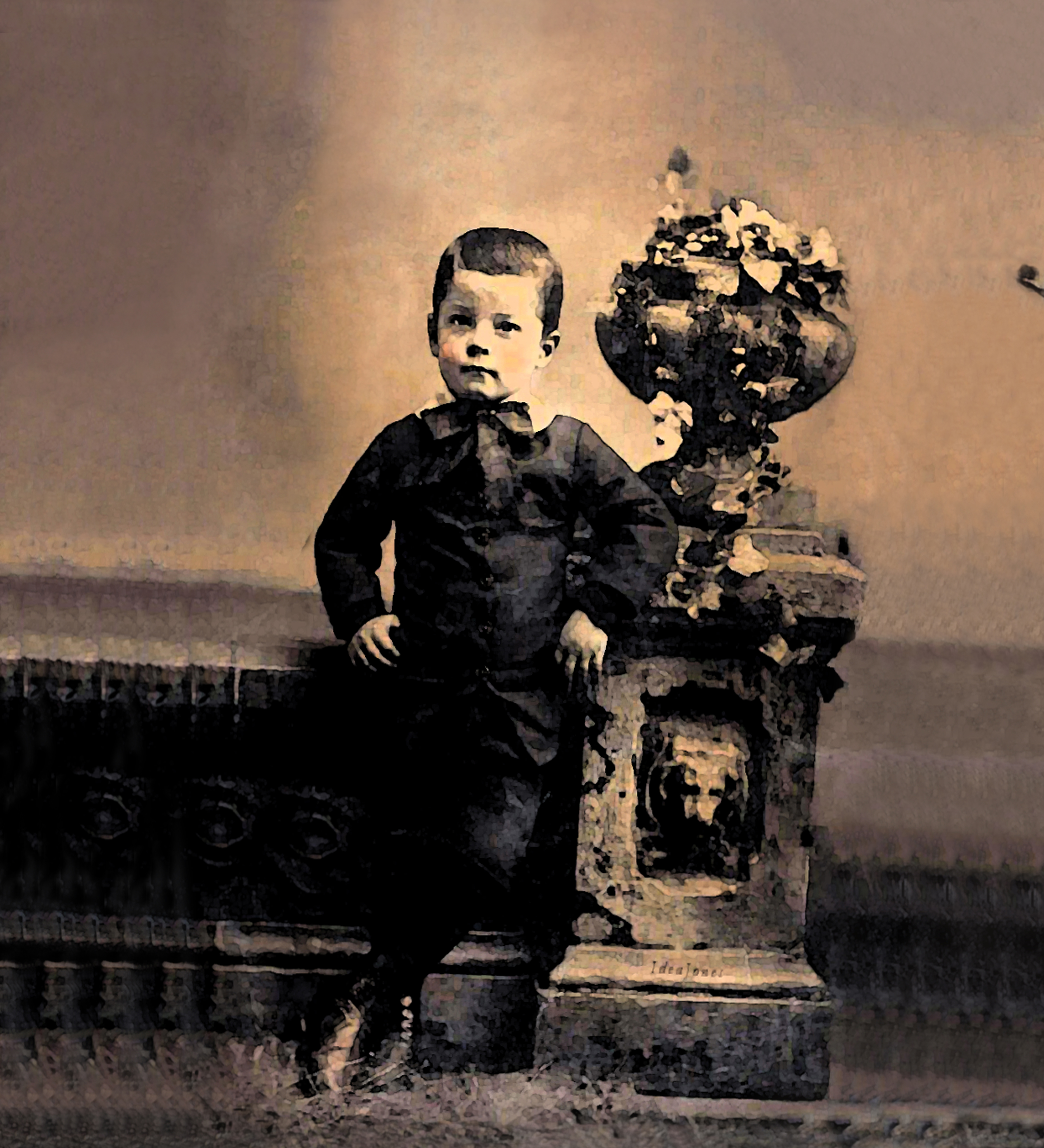
    I don’t usually create dark, moody artwork. Perhaps there are elements of “Simran: Altar of Memory” which are bittersweet, even sad (it’s about dementia, after all), but it’s not spooky. Recently, however, I decided to work with old tintypes and photos my grandmother gave me, and one in particular just seemed to pick up on the fact that it’ll be Halloween soon.

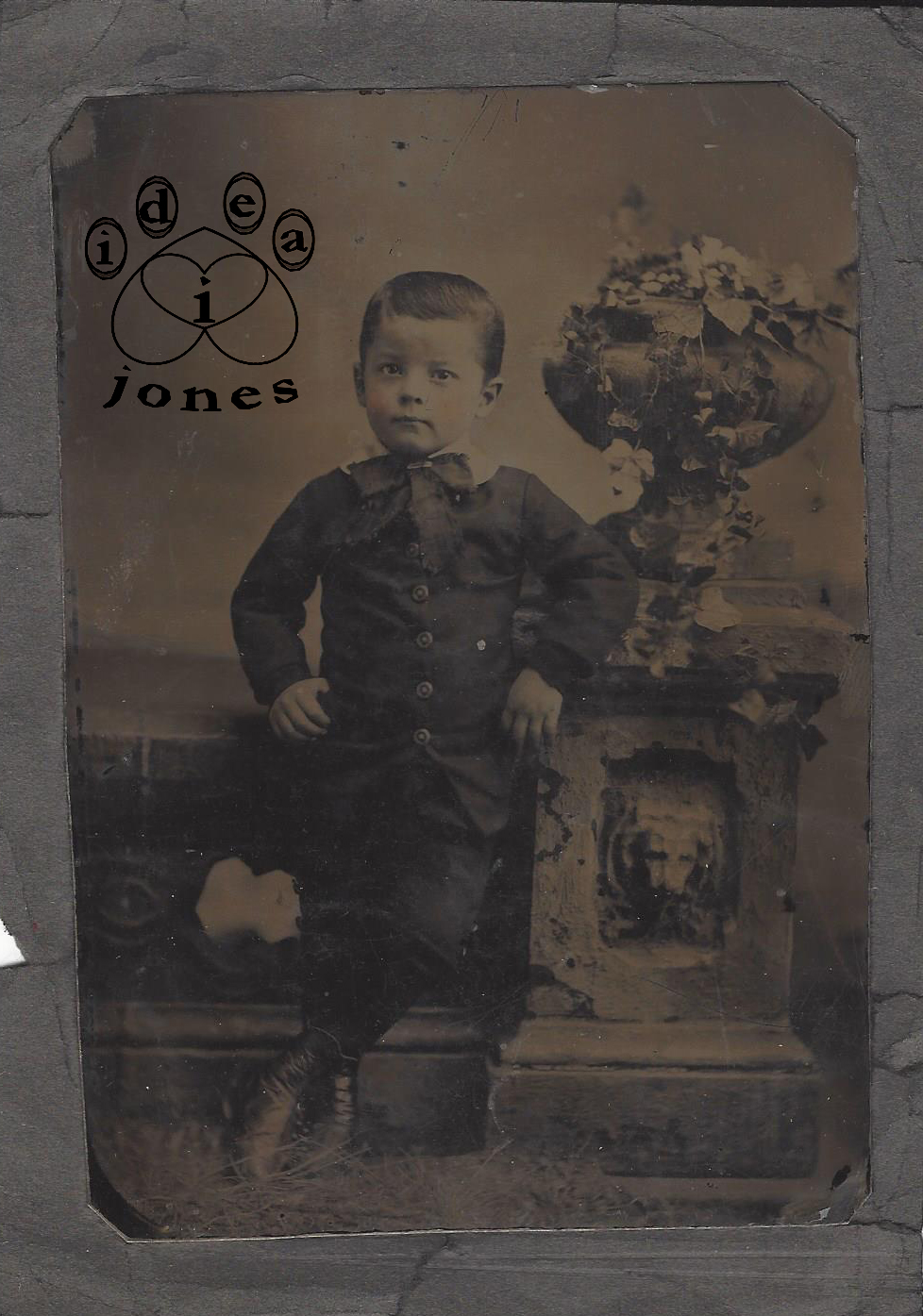
    This started with a scan of that old tintype. I work with old photos from time to time, healing scratches, brightening faded images. Working with this photo, I tried to heal some of the damage of time while only brightening it enough to reveal details. Once I did, I discovered details I wanted to emphasize, like the skull in the lower left. This might not have been a skull at the time the photo was taken, but when the image emerged in working with it, that became the theme of the picture, so I repeated it.

    That led to other repetitions. Ordinarily, I would smooth out the background, eliminating visual “stutter.” In this case, I cause the stutter. Patterns repeat in the background, in the setting, giving the photo a cluttered, neurotic feeling.

    When it felt like I’d reached that point, I turned it into a digital watercolor and continued painting, sometimes pixel by pixel. As I worked, I gave him a backstory. A brave boy, the son of parents who hunt the things that go bump in the night, he is comfortable in the graveyard, knowing his parents have banished evil and confident that one day, he will take his place beside them.

    His image is available in our IdeaJones Redbubble shop.
  • Healing the Old (Photo)

    Healing the Old (Photo)

    Mark visited a camera store the other day (we’re shopping around for a camera). While talking to the store’s owner about what we’re looking for, he mentioned that one of the things I do is work with old photos, including “healing,” improving faded, scratched images, and creating artwork based on that digital image. The man told Mark that working with old photos is a difficult skill to learn.

    It is. I’m still learning. And the first thing I learned is not to approach it as photography.

    Digital image manipulation has changed everything, and in a way, it’s brought us back to where we started.

    Before cameras, pictures and portraits had to be sketched or painted. Photography brought the ability to “capture” an image. To change it, you could change lighting, how the image is framed, how long it’s exposed, but for much of photography’s history, seeing was believing. Making composite images wasn’t easy and most didn’t look real. Before color photography took off, the most common way to add color was to physically paint on the photo. Retouching meant actual touching.

    But with digital photography, a picture ceases to be a photograph when it enters the computer.  Take a digital photo and increase the magnification until you can see the individual pixels. You’re seeing what the computer is telling you it sees. To the

    What seems to be one thing is a lot of other things, when it's a digital image.
    What seems to be one thing is a lot of other things, when it’s a digital image.

    computer, it’s not a photo — it’s data to be interpreted. Learning how the computer sees what you give it will help you figure out how to do what you want to do.

    To work with photographs digitally, you approach them… as paintings. Look at those pixels. When you back out and look at the whole image, that part may appear to be one color, but when you zoom in, it isn’t. Even “black and white” images contain dots of color in every digital photo I’ve worked with. If you need to heal a scratch, or change something, you have to put away what color you think it is. Look at the colors the computer sees. That’s what you’re working with.

    This isn't in bad shape for a picture from the 1890s, but there's a lot of work to do.
    This isn’t in bad shape for a picture from the 1890s, but there’s a lot of work to do.

    This is a family photo taken around the turn of the last century. It’s one of the few not labeled, so I don’t have a name. I decided to turn it into a digital art project for our Redbubble shop. This wasn’t a straight-ahead healing of an old photo. I wanted to emphasize certain things and omit others to produce an effect. Still, the process started with healing a scratched, faded photo over 100 years old.

    It appears to be lighter and darker tones of one color (sepia), but if you look at that magnified sample from the original, you can see greens, yellows, even a rose tint.  When you’re healing scratches, brightening or manipulating the image, that’s what you’re working with.

    It seems obvious, but the first thing I learned about working with digital images is you have to work with what you have, not what you think you have.

    Save